

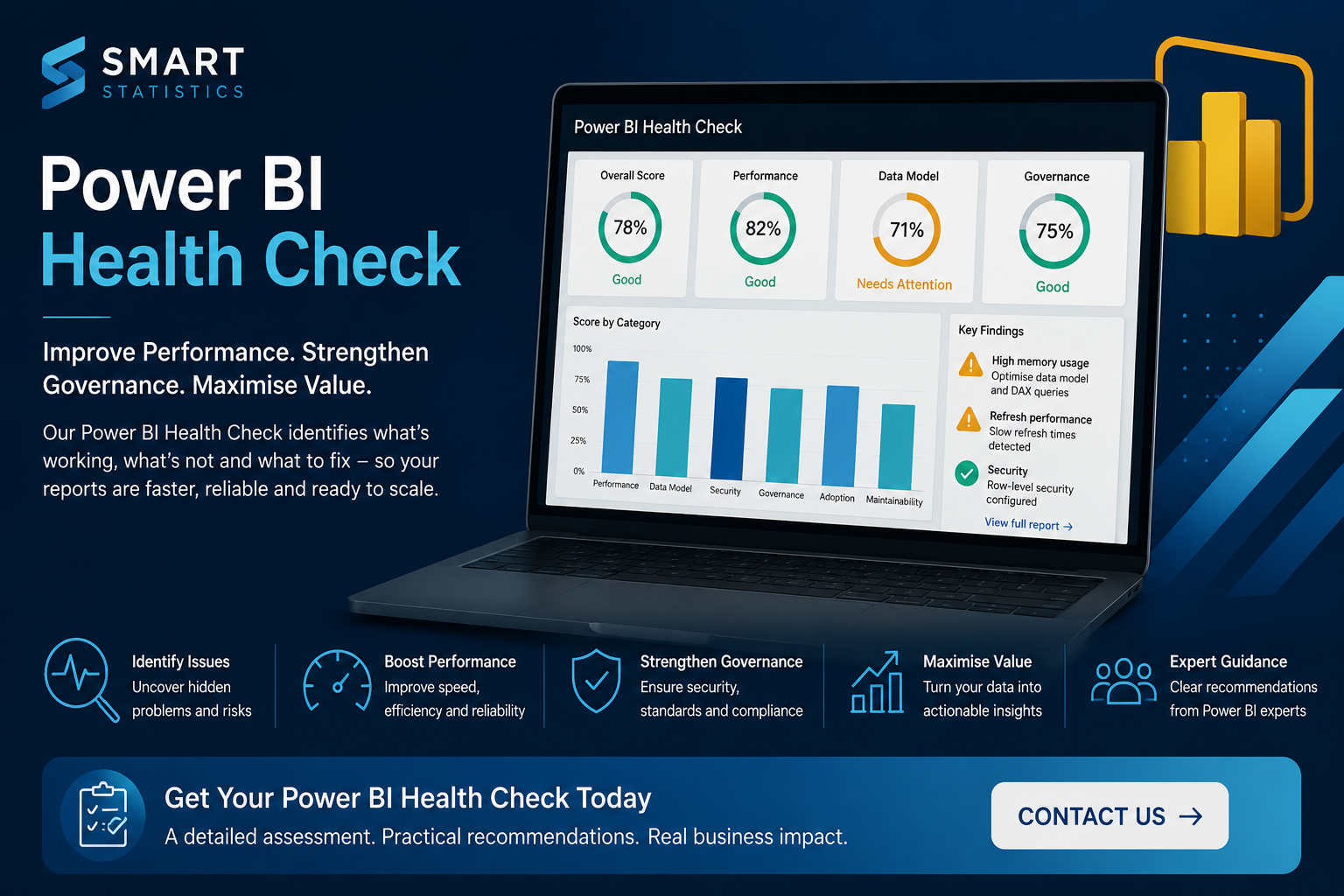
Why Every Growing Business Needs a Power BI Health Check
Power BI can become one of the most valuable decision-support tools in a growing organisation. But as reports, datasets and users increase, hidden performance, governance and data-quality issues can begin to undermine confidence in the entire reporting environment.
A professional Power BI Health Check gives you an independent view of what is working, what is creating risk and where improvements will deliver the greatest business value.
Priority findings
What Is a Power BI Health Check?
A Power BI Health Check is a structured assessment of your reports, semantic models, datasets, dashboards, refresh processes, security arrangements and governance practices.
Its purpose is not simply to find technical faults. A valuable review connects technical findings to business outcomes such as reporting reliability, user confidence, operational efficiency and better decision-making.
A well-executed health check gives senior stakeholders a clear understanding of the current reporting environment and provides technical teams with a practical, prioritised roadmap for improvement.
Six Signs Your Power BI Environment Needs Attention
Reporting problems rarely appear overnight. They usually develop gradually as new reports, users, data sources and business requirements are added.
Slow Reports
Dashboards take too long to load, filters respond slowly or users abandon reports before reaching the information they need.
Conflicting Figures
Different reports provide different answers for the same KPI, reducing trust and creating unnecessary debate.
Refresh Failures
Scheduled refreshes fail, credentials expire or business users discover that dashboards contain outdated information.
Single-Person Dependency
One employee understands the reporting solution, creating a significant continuity, support and knowledge-transfer risk.
Report Sprawl
Multiple workspaces contain duplicated, outdated or abandoned reports, making trusted content difficult to identify.
Weak Governance
Ownership, permissions, publishing standards and KPI definitions are inconsistent, unclear or undocumented.
What Improvement Looks Like
A health check converts vague concerns into specific findings, priorities and actions that can be understood across the organisation.
| Area | Common Current State | Target State | Business Impact |
|---|---|---|---|
| Performance | High risk Slow pages, complex models and inefficient calculations. |
Optimised Faster, more responsive dashboards. |
Improved adoption and reduced user frustration. |
| Data Quality | Inconsistent Conflicting figures and unclear KPI definitions. |
Trusted Consistent metrics and agreed business rules. |
Greater confidence in management decisions. |
| Governance | Informal Unclear ownership and inconsistent publishing practices. |
Controlled Defined ownership, access and standards. |
Reduced operational and compliance risk. |
| Maintainability | Fragile Limited documentation and specialist dependency. |
Sustainable Clear documentation and support processes. |
Lower support costs and improved continuity. |
| User Experience | Complex Crowded pages and unclear navigation. |
Intuitive Clear, focused and actionable reporting. |
Faster interpretation and better decisions. |
What Does the Review Examine?
The review combines technical inspection with business context so that every recommendation is practical, proportionate and relevant.
Data Model Design
Relationships, table structures, data types, calculated columns and modelling patterns are reviewed to identify unnecessary complexity and performance constraints.
DAX and Business Logic
Measures are assessed for accuracy, clarity, duplication and efficiency, including whether important calculations are defined consistently.
Report Performance and Design
Report pages, visuals, filtering behaviour and query performance are examined to identify what is slowing the experience or making dashboards difficult to interpret.
Refresh and Data Integration
Refresh schedules, Power Query transformations, gateways, credentials and dependencies are reviewed to improve reliability.
Security and Governance
Workspace permissions, sharing methods, row-level security, ownership, deployment practices and documentation are assessed.
User Experience and Adoption
Navigation, visual hierarchy, accessibility and usability are reviewed to ensure reports support clear and confident action.
A health check should not be a generic technical audit
The findings should be prioritised according to business impact, implementation effort and risk. Decision-makers need to understand not only what is wrong, but why it matters and what should happen next.
The Business Benefits of a Power BI Health Check
A successful review should produce more than a list of technical issues. It should explain business impact and provide a prioritised improvement plan.
The objective is not to produce a long list of technical faults. It is to provide a practical improvement plan that supports better reporting, stronger governance and more confident decisions.
When Should You Arrange a Health Check?
A Power BI Health Check is particularly valuable when growth, complexity or risk can no longer be managed informally.
- Your Power BI environment has expanded rapidly
- Reports are slow, unreliable or difficult to maintain
- Users are questioning the accuracy of the figures
- You are preparing to invest in new dashboards
- You need to introduce stronger governance
- You are planning a Microsoft Fabric or data-platform programme
- A key reporting specialist is leaving the organisation
- You need an independent assessment before further investment
Power BI Health Check FAQs
How long does a Power BI Health Check take?
The timescale depends on the number of reports, datasets, workspaces and stakeholders involved. A focused review may be completed relatively quickly, while a larger reporting estate requires a broader assessment.
Will the review change our existing reports?
The initial health check is normally an assessment rather than a redevelopment exercise. Any recommended changes can be reviewed, prioritised and implemented separately.
Can you review reports built by another supplier?
Yes. An independent review can be particularly valuable when you have inherited reports, changed suppliers or need an objective assessment of an existing solution.
Do we need a large Power BI environment?
No. A health check can be applied to one business-critical report or a large reporting estate. The scope should reflect the importance, complexity and risk of the solution.
What happens after the review?
You receive a prioritised set of recommendations. These can be implemented by your internal team or supported by Smart Statistics through further optimisation, development, governance or advisory work.
Get More Value From Your Power BI Investment
If your reports are slow, difficult to maintain or no longer trusted by decision-makers, an independent review can provide the clarity you need.
Smart Statistics can assess your Power BI environment and provide a practical, prioritised plan for improving performance, reliability, governance and user confidence.