

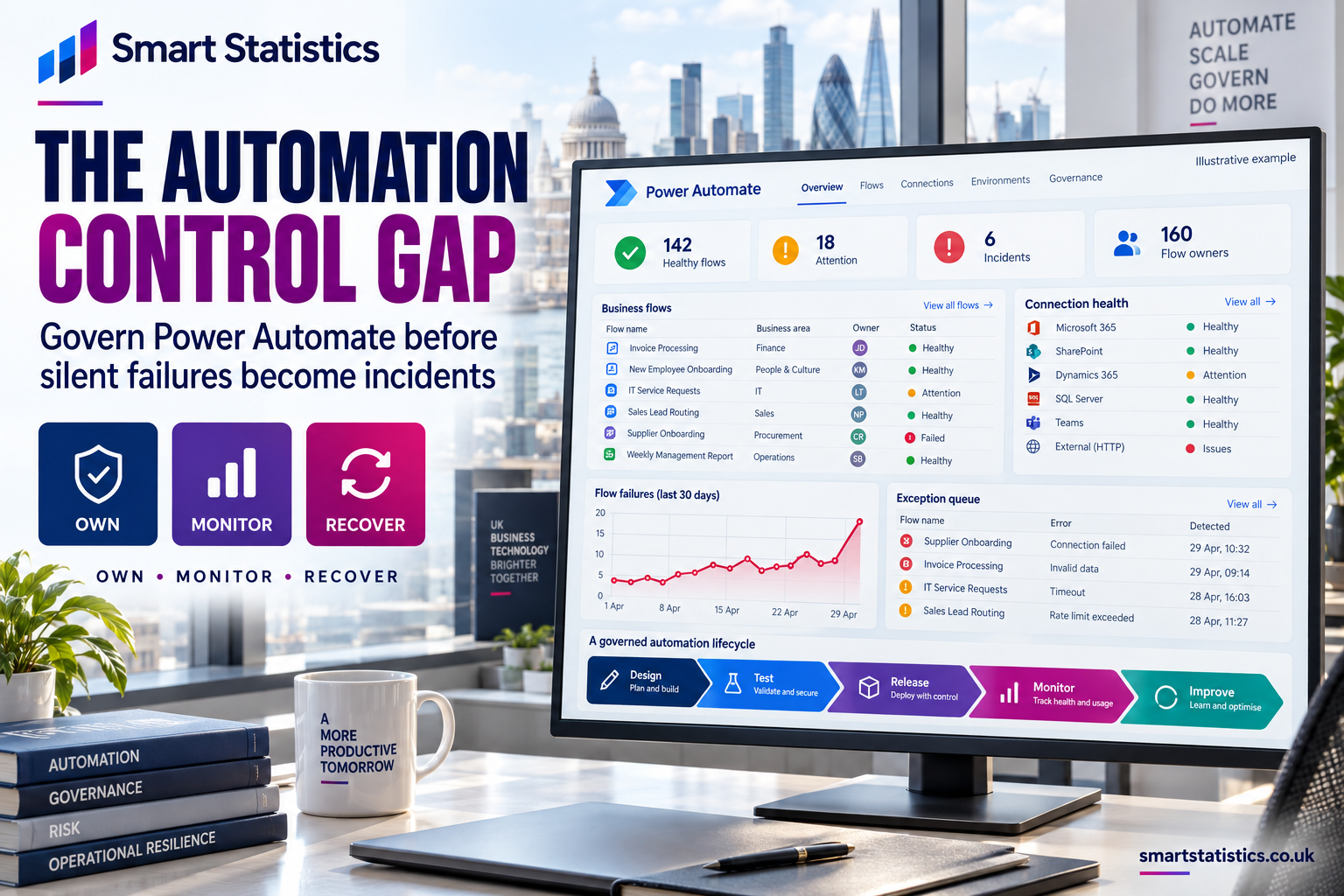
Close the automation control gap
Power Automate can quietly become part of payroll, customer service, finance and compliance. When those flows lack owners, monitoring and recovery plans, a failed connection can become a business incident before anyone realises.
Example exception pattern, not measured customer performance.
A flow can be technically successful while the business outcome still fails
An email action may complete, but the attachment may be wrong. An approval may time out without a clear escalation. A customer record may be created twice after a retry. Governance therefore has to measure the business result, not only the platform status.
Four signals that automation has become an unmanaged dependency
The risk rarely arrives as one dramatic failure. It accumulates through small decisions that leave critical flows hard to find, understand and recover.
Personal ownership
A vital flow depends on one person’s account, connections and undocumented knowledge.
Reactive monitoring
The team discovers failures when an invoice, update or customer response fails to arrive.
Uncontrolled change
A maker edits a production flow directly, with no version record, test evidence or rollback path.
No recovery design
Failures are retried, but there is no safe way to reconcile partial work or replay affected transactions.
Own, observe and recover every business-critical flow
Apply controls in proportion to impact. A personal reminder does not need the same treatment as a flow that releases payments or updates customer records.
1. Register and classify
Maintain a portfolio register with purpose, business process, environment, trigger, data sensitivity, downstream dependency and criticality. Record the expected outcome and maximum acceptable disruption—not just the flow name.
2. Assign accountable ownership
Name a business owner who accepts the operational result and a technical owner who maintains the automation. Add a capable backup. Review connection ownership, licensing and access whenever people change roles or leave.
3. Engineer controlled failure
Use structured scopes, run-after paths, appropriate retry policies, validation and explicit termination. Design idempotency or duplicate protection where a repeated action could create a second payment, record or message.
4. Monitor service health
Track failures, cancellations, duration, expected volume, missed schedules and business exceptions. Route alerts to a managed team channel or queue. Platform analytics help, but critical processes also need business-level evidence that the intended work completed.
5. Rehearse change and recovery
Move critical flows into managed release practices, document dependencies and keep a tested recovery runbook. Prove how to repair credentials, replay work safely, reconcile partial completion and communicate a limitation.
Use tiering to avoid governing everything equally
Start with an impact assessment. The example below is a decision aid and should be adapted to your organisation’s risk appetite.
| Tier | Typical impact | Minimum control expectation | Example |
|---|---|---|---|
| Critical | Financial, legal, safety, payroll or major customer impact | Named business and technical owners; controlled release; active monitoring; tested recovery; regular review | Payment authorisation or payroll change |
| Important | Material delay, rework or service degradation | Named owners; error handling; team alerting; documented support and periodic review | Customer onboarding or invoice routing |
| Local | Limited impact contained to an individual or small team | Owner, basic documentation, sensible access and retirement date | Personal reminder or low-volume notification |
A small set of measures can expose automation fragility
Targets must be agreed from a baseline. The figures below describe what to measure, not universal performance targets.
Registered critical flows
Critical flows in the portfolio register divided by critical flows discovered.
Valid owner coverage
Flows with active business, technical and backup owners plus valid connections.
Time to acknowledge
Elapsed time from a qualifying exception to acceptance by the support owner.
Time to restore outcome
Elapsed time until the business result is restored and affected work reconciled.
Build visibility first, then strengthen the highest-risk flows
The aim is a working operating rhythm, not a governance document that nobody uses.
Days 1–30: Discover and triage
Export or assemble the flow inventory, speak to business teams, classify criticality and identify orphaned ownership, broken connections and undocumented dependencies. Select a small critical cohort.
Days 31–60: Apply core controls
Confirm accountable owners, standardise naming and support information, add structured error handling, route exceptions to a team-owned channel and document safe recovery for the critical cohort.
Days 61–90: Measure and rehearse
Baseline service metrics, test a broken connection and partial-processing scenario, review alert quality, close recovery gaps and schedule a recurring portfolio review with business owners.
How exposed is your automation portfolio?
Select each statement that is currently true. This is an illustrative discussion tool, not an audit or certification.
Questions leaders ask before formalising control
Do all Power Automate flows need the same governance?
No. Classify flows by business impact, data sensitivity and recoverability. Apply stronger ownership, monitoring, release and recovery controls to critical flows while keeping local low-risk automation proportionate.
Is adding a co-owner enough for business continuity?
No. Co-ownership improves maintainability, but continuity also depends on connections, licensing, access, documentation, monitoring and tested recovery. Co-owner access is powerful and should be limited to people who need to maintain the flow.
Should every critical flow use a service principal?
No. The ownership model should fit the process, connector support, security model and licensing. Microsoft notes that service-principal ownership can improve stability for suitable critical flows, while user context can remain appropriate for interactive or user-specific scenarios.
Can run history be our only monitoring control?
No. Run history helps diagnose technical execution, but critical processes also need alerts and evidence that the intended business outcome occurred. Retention and analytics availability should be checked for the chosen environment and monitoring design.
What should an error alert contain?
Include the flow, environment, run identifier, business item or correlation key, failed stage, time, impact, owner and next action. Avoid exposing sensitive payload data in broad notification channels.
How often should the portfolio be reviewed?
Base the cadence on risk and change. Review critical flows regularly and whenever owners, credentials, connectors, licensing, environments or business processes change. Retire flows that no longer provide an owned business service.
Turn business automation into an owned, monitored and recoverable service
Smart Statistics helps UK businesses improve Power Automate architecture, governance, monitoring and operational reporting. Start with the flows whose failure would be hardest to explain to a customer, finance team or senior leader.
Technical references
Microsoft documentation checked on 18 September 2026. The five-control model, tiering table, metrics and assessment are Smart Statistics recommendations and illustrative examples.