

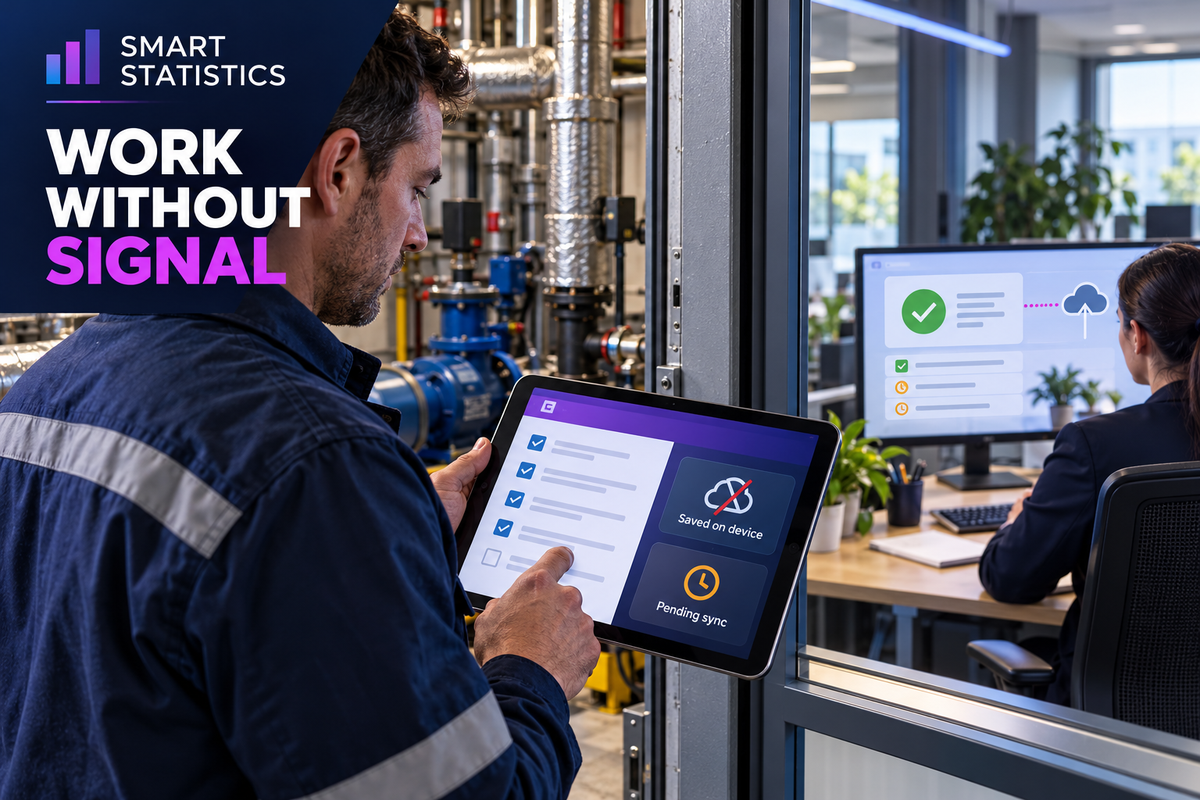
Power Apps Offline: When Field Teams Need More Than a Connected Form
An inspection can finish in a basement plant room while its record never reaches the office. Decide whether offline capture is worth investing in by following the whole journey: device, synchronisation and business acceptance.
14 October 2026 · UK field operations · Power Apps, Dataverse and SharePoint
-
Saved on device Capture is preserved locally; office receipt is unconfirmed.
-
Synchronised to server Connectivity and successful upload are separate states.
-
Accepted by the business Required checks pass; downstream work may proceed.
The investment question
Where does poor connectivity actually cost you?
For a facilities business, the loss may appear as retyping, supervisor chasing or delayed job closure. A faster form only helps if those costs come from the capture process.
Work is entered twice
An engineer writes on paper and later retypes the inspection. Compare time spent transferring records with time spent doing the inspection itself. Only the avoidable transfer belongs in the app business case.
The office cannot close the job
A missing record makes a completed visit look unfinished. Measure the interval between site capture and office acceptance; distinguish waiting for signal from waiting for a supervisor decision.
People stop trusting the status
If “complete” sometimes means “still on a phone”, teams start calling each other to confirm every job. Give each stage a clear meaning and name the person who resolves records that do not progress.
Choose the operating model
Three routes, three different commitments
Power Apps offline is a design choice with data, device and support consequences. Select the route against the field task rather than the familiarity of the existing list.
| Route | Good fit | What you must fund and prove |
|---|---|---|
| Connected app | Coverage is reliable, or recording can safely wait until a connected location. | Clear failed-save feedback and a workable fallback. Confirm that deferral is acceptable for the task. |
| Dataverse mobile offline | Field capture must continue without signal and a controlled mobile data model is justified. | Relevant tables and offline profiles, security roles, device onboarding, licensing review, sync support and target-device testing. |
| Custom local capture | A narrow non-Dataverse requirement where a bespoke queue has a credible support owner. | Local persistence, stable record identity, upload acknowledgement, safe retries, conflicts, media handling and recovery. Price this as software behaviour. |
A defensible business case
Value the avoided work before the proposed technology
Use observed volume and fully loaded labour cost. Separate released capacity from cash savings: time recovered does not automatically reduce payroll.
Illustrative example: monthly capacity
A fictional facilities team completes 600 inspections a month. Re-entry and chasing take 8 minutes per inspection. Loaded labour cost is assumed to be £24 an hour.
80 × £24 = £1,920 per month
All figures are Illustrative example. The £1,920 represents the value of time currently consumed, before judging how much the app could recover.
Illustrative example: investment hurdle
Assume a pilot demonstrates a 50% reduction in that avoidable work: 40 hours, valued at £960 a month. Assume incremental running costs of £300 a month and implementation of £6,000.
£6,000 ÷ £660 ≈ 9.1 months
All figures are Illustrative example, not a quote or product price. This is simple capacity-value payback, excluding tax, financing and discounting. Cash payback needs a separately evidenced cash benefit.
Best practice under lost signal
Agree what the field team is allowed to decide
Capture can happen offline. Some decisions must wait for an authoritative server response. Draw that boundary before people depend on the app.
Capture observations
Allow the engineer to record readings, notes and evidence within the agreed scope. Keep the original capture time and the later office receipt time distinct. Define what happens when essential reference data was not downloaded.
Defer shared commitments
Do not confirm stock allocation, a booking slot or an approval using potentially stale device data. Mark it as awaiting server confirmation and define the response when the office rejects it.
Make concurrent edits explicit
Microsoft documents that the last update to each column is stored in Dataverse during offline synchronisation; server validation may reject changes. Canvas apps do not use the documented model-driven conflict settings. Design to reduce competing edits rather than assuming a human merge prompt.
For inspections, a practical design recommendation is to create a new observation record and keep supervisor acceptance separate, instead of letting both people overwrite the same completion fields. Test this model against actual business rules. Microsoft's sync-conflict and validation guidance.
Commission the smallest useful pilot
Prove an entire shift, including the handover
A successful demonstration beside an office Wi-Fi router proves little about a day in the field. Pilot one inspection type with representative sites, users and devices.
Prepare the field journey
- Map required data, photos, related assets and who can edit each record.
- Choose only the tables and records needed for the shift; refine the offline profile.
- Complete initial synchronisation before departure and confirm the app can reopen offline.
- Agree plain-language saved, pending and rejected states; train users to recognise them.
Microsoft's setup guidance covers table configuration, profiles and security prerequisites. Its working guidance requires an initial data download before offline use. Setup reference · Initial sync reference.
Test the awkward handover
- Disable connectivity, capture inspections, close the app and reopen it.
- Reconnect over weak coverage; verify each captured record reaches the server once.
- Exercise concurrent changes and a server validation rejection.
- Test photos on actual devices, expiring access and an interruption during upload.
- Prove the supervisor can identify and resolve unaccepted records.
Agree a fallback for an unavailable device. Do not instruct users to reinstall or clear app data while unsynchronised work remains; use the tested support procedure.
| Measure | Definition | Decision it supports |
|---|---|---|
| Capture-to-acceptance delay | Office acceptance time minus device capture time; report median and a high percentile. | Whether records arrive soon enough for downstream work. |
| First-pass acceptance | Inspections accepted without correction ÷ submitted inspections. | Whether validation and training reduce rework. |
| Unresolved record age | Elapsed age of each captured record awaiting receipt or correction. | Whether the handover needs intervention. |
| Avoidable administration | Observed re-entry and chasing minutes per inspection, before and during the pilot. | Whether the business-case reduction is credible. |
Readiness assessment
Is the offline investment ready for a pilot?
Tick what you can evidence. This checklist runs locally without submitting data. The score supports planning; it does not certify reliability or compliance.
People and ownership
Give the handover a home in the business
Operations owns acceptance
The operations lead defines acceptable delay and the shift-end check. Supervisors resolve rejected inspections and train people to distinguish pending records from accepted work.
IT owns device exposure
The IT and security leads decide which data may reside on a device, access controls, device management and the response to loss or staff departure. Test these controls; offline capability is not a security approval.
The app owner owns recovery
A named technical owner maintains the data model, profile, version changes and sync support. Finance validates the benefits. Agree who funds support before the pilot becomes a business dependency.
Frequently asked questions
Power Apps offline: business FAQs
Can a Power Apps canvas app run offline in a mobile browser?
No. Microsoft documents offline canvas-app use through the native Power Apps Mobile players, rather than a web browser. Include the mobile player and device onboarding in your delivery plan.
Does a SharePoint app get Dataverse offline support automatically?
No. Built-in offline-first support uses Dataverse; non-Dataverse connectors such as SharePoint are not supported in that offline mode. A separate collection-based approach can provide basic local storage, but the maker must design reconnection, submission and conflict handling.
Can Power Automate complete an approval while the device is offline?
Power Automate flows are not supported in the offline mode described here. Capture the request locally, then design server-side processing after synchronisation. Show approval as pending until the office system confirms the outcome.
Is a locally saved inspection already available to the office?
No. Local save, server synchronisation and business acceptance are separate milestones. A device can hold a completed inspection that has not reached the office or passed server validation.
Does the example prove an offline app will save money?
No. The figures are illustrative planning assumptions. Measure avoidable re-entry and chasing, verify the achievable reduction in a pilot, and include implementation, licensing, devices and ongoing support before approving investment.
Sources and scope
Current documentation, explicit assumptions
Microsoft documentation checked on 14 October 2026. The route selection, operating model and pilot measures are recommendations derived from the documented capabilities. All dashboard figures and financial calculations are invented illustrative examples, not customer results. Licensing and feature suitability require review against your tenant and planned use.
- Develop offline-capable canvas apps — mobile player and local-storage routes.
- Mobile offline limitations — supported app types, connectors and flow boundaries.
- Set up mobile offline — profiles, tables and security roles.
- Work with canvas apps offline — initial download and sync states.
- Resolve sync conflicts with the server — column updates and rejected changes.