

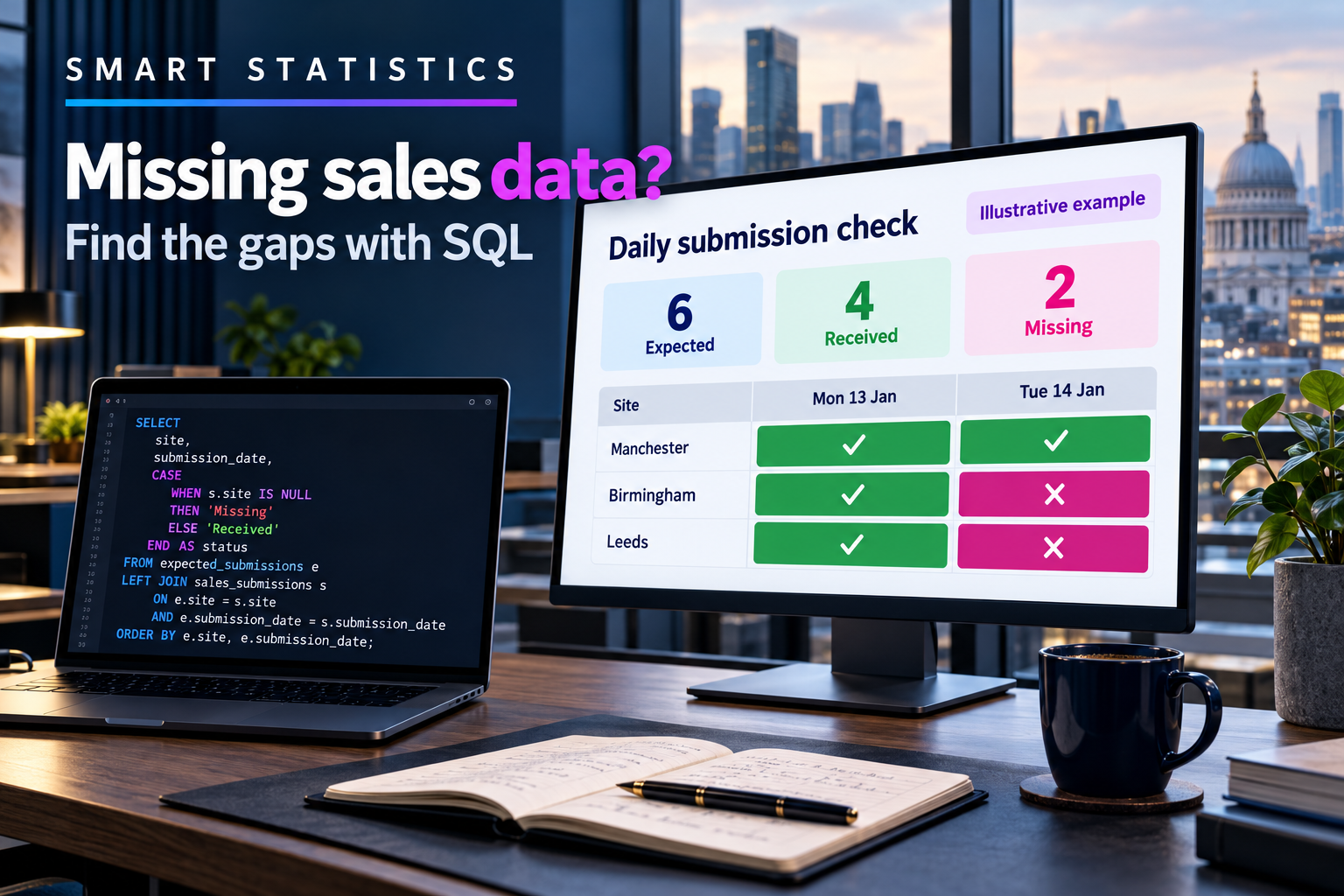
Missing is not zero: find gaps in daily sales data with SQL
A report can add up perfectly and still omit a branch. Compare the submissions you expected with the ones you accepted before interpreting the sales total.
For UK finance, operations and data teams using SQL Server or Azure SQL Database. Basic SELECT knowledge and access to a test query window are helpful.
Daily submission check
Illustrative example · All figures and statuses · 23 September 2026, 08:30 UTC
The missing row is the one your total cannot explain
A quieter trading day and an absent submission require different actions. Replacing both with £0 can turn a collection failure into an apparent commercial decline.
Missing is unknown
An expected branch-day has no accepted return. Investigate the feed or submission process; do not manufacture a sales value.
Zero can be valid
A submitted, validated £0 return is evidence. A transaction table with no rows does not by itself prove the branch reported zero.
Closed is not missing
A branch with no submission obligation should not enter the denominator. Maintain an approved schedule, including closures and local exceptions.
Start with the obligation, then look for evidence
The self-contained example uses local table variables. It creates no permanent tables and changes no business records. Run the whole block together in a test query window.
Agree the grain and acceptance rule
The key is SiteCode + TradingDate. A return counts only when its status is Accepted, its amount is not NULL and it was received by the chosen as-of time. Zero is allowed. An accepted state here is assumed to be final; systems with later revocations need status-history logic.
Store the business trading date separately from the UTC receipt time. In production, derive UTC deadlines from the approved local schedule, accounting for UK clock changes. Do not assume UK local time always equals UTC.
Run a reproducible comparison
Three fictional sites owe returns for two trading dates. Leicester has an accepted zero for the second day. Nottingham has a rejected submission for that day, which must not count as received.
-- Illustrative example. All timestamps below are UTC.
DECLARE @AsOfUtc datetime2(0) = '2026-09-23T08:30:00';

DECLARE @Expected TABLE (
    SiteCode varchar(3) NOT NULL,
    TradingDate date NOT NULL,
    DueAtUtc datetime2(0) NOT NULL,
    PRIMARY KEY (SiteCode, TradingDate)
);

DECLARE @Returns TABLE (
    SubmissionId int PRIMARY KEY,
    SiteCode varchar(3) NOT NULL,
    TradingDate date NOT NULL,
    ReceivedAtUtc datetime2(0) NOT NULL,
    ReturnStatus varchar(12) NOT NULL,
    SalesAmount decimal(12,2) NULL
);

INSERT INTO @Expected VALUES
('LEI','20260921','2026-09-22T08:00:00'),
('NOT','20260921','2026-09-22T08:00:00'),
('DER','20260921','2026-09-22T08:00:00'),
('LEI','20260922','2026-09-23T08:00:00'),
('NOT','20260922','2026-09-23T08:00:00'),
('DER','20260922','2026-09-23T08:00:00');

INSERT INTO @Returns VALUES
(1,'NOT','20260921','2026-09-22T07:00:00','Accepted',2100.00),
(2,'DER','20260921','2026-09-22T07:10:00','Accepted',1800.00),
(3,'LEI','20260922','2026-09-23T07:00:00','Accepted',0.00),
(4,'DER','20260922','2026-09-23T07:15:00','Accepted',1900.00),
(5,'NOT','20260922','2026-09-23T07:20:00','Rejected',NULL);

;WITH Due AS (
    SELECT SiteCode, TradingDate, DueAtUtc
    FROM @Expected
    WHERE DueAtUtc <= @AsOfUtc
), Checked AS (
    SELECT d.*,
           CASE WHEN EXISTS (
               SELECT 1
               FROM @Returns AS r
               WHERE r.SiteCode = d.SiteCode
                 AND r.TradingDate = d.TradingDate
                 AND r.ReturnStatus = 'Accepted'
                 AND r.SalesAmount IS NOT NULL
                 AND r.ReceivedAtUtc <= @AsOfUtc
           ) THEN 1 ELSE 0 END AS IsReceived
    FROM Due AS d
)
SELECT SiteCode, TradingDate, DueAtUtc,
       CASE WHEN IsReceived = 1
            THEN 'Received' ELSE 'Missing' END AS CheckStatus,
       COUNT(*) OVER () AS ExpectedCount,
       SUM(IsReceived) OVER () AS ReceivedCount,
       SUM(1 - IsReceived) OVER () AS MissingCount,
       CAST(100.0 * SUM(IsReceived) OVER ()
            / NULLIF(COUNT(*) OVER (), 0) AS decimal(5,1))
            AS CompletenessPct
FROM Checked
ORDER BY TradingDate, SiteCode;
EXISTS asks whether a qualifying row is present. Multiple qualifying submissions do not multiply the expected row. The window totals repeat the same summary alongside each detail row—do not sum those repeated totals in a downstream report. Microsoft: EXISTS; Microsoft: SUM and OVER.
Read the result without inventing sales
The query returns six detail rows. LEI on 21 September and NOT on 22 September are Missing; the other four are Received. Each row shows ExpectedCount 6, ReceivedCount 4, MissingCount 2 and CompletenessPct 66.7. These are illustrative results, not customer evidence.
If no obligations are due, this detail query returns no rows. The consuming report must explicitly show “No submissions due”, not 100% completeness or “all clear”. If a query fails, show “Check failed” separately from “nothing missing”.
To produce only the exception queue, replace the final SELECT with the following, retaining the declarations and CTEs above. It must immediately follow the same CTE block:
SELECT SiteCode, TradingDate, DueAtUtc
FROM Checked
WHERE IsReceived = 0
ORDER BY DueAtUtc, SiteCode;
Connect the rule to the real workflow
Replace the table variables with an approved schedule table and a validated submission log. Keep a unique expected key; do not generate obligations from the sales table, because absent sites would disappear from both sides of the comparison.
Use a bounded trading-date range. Ask your database owner to review the execution plan and indexes around site, trading date, receipt time and acceptance status. The small table variables are teaching fixtures, not a recommendation for large operational datasets.
Run the check after the agreed deadline and grace period. Record the run time, rule version, expected count, received count and exception keys. Route exceptions to a named branch or integration owner, and close them only after accepted evidence arrives or an authorised schedule correction is recorded.
Prove the boundaries before using the result
Change one fixture at a time, rerun the complete block and compare against these acceptance tests.
| Test change | Expected behaviour |
|---|---|
| Keep Leicester’s accepted £0 | Received; zero does not mean absent. |
| Change that amount to NULL | Missing; an incomplete accepted row is insufficient. |
| Add a second accepted copy with a new SubmissionId | Completeness stays unchanged; investigate duplicates separately. |
| Add a qualifying return after @AsOfUtc | Still missing in this historical snapshot. |
| Move an obligation’s deadline after @AsOfUtc | Exclude it from both the due count and the exception queue. |
| Remove an approved closed-day obligation | Denominator falls; retain the reason and approval outside the query. |
| Move @AsOfUtc before every deadline | No detail rows; display “No submissions due”. |
Give each gap an owner—not just a red tile
Own the obligation
Operations approves trading calendars, openings, closures and deadlines. Finance defines an acceptable return and the conditions for releasing a provisional report.
Own the evidence
The data team maintains receipt timestamps, accepted-state rules and check-run evidence. Use read-only source access where practical, restrict exception access and avoid copying unnecessary personal data.
Own the response
A site manager fixes missed submissions; an integration owner fixes ingestion failures. Deduplicate notifications by site, trading date and rule so repeated checks do not create repeated cases.
Do not quietly remove difficult branches to improve the percentage. Approve and audit denominator changes. If acceptance can be revoked or a return superseded, select the valid version as of the check time before applying the presence test.
Measure whether the process improves
Pilot with one region and one named report owner. Run alongside the existing morning check before relying on the result.
Make the status usable
Show the as-of time, due population, accepted count, missing count and report-release status together. Train users with three cases: an accepted zero, a closed branch and an absent return. Publish a clear route to challenge an obligation.
Track impact, not a promised saving
Baseline time spent chasing returns, unresolved gaps at release, median resolution time and repeat failures by source. Compare equivalent reporting periods after the pilot. Measure completeness and value reconciliation separately; a full set of wrong returns is still wrong.
Decision rule: keep the check in SQL when obligations and submission evidence are reliably available there. If teams cannot agree what is due or what counts as accepted, resolve that process definition first. A query cannot supply a missing business rule.
Is your completeness check ready for a pilot?
Select only statements backed by evidence. This practical self-assessment is not an audit or certification.
Frequently asked questions
Why not replace missing sales with zero?
Zero is a reported value. Missing means the expected accepted submission is absent. Replacing missing data with zero hides collection failures and can distort comparisons.
Does an accepted duplicate increase completeness?
No. This example uses EXISTS, so each expected site-day contributes at most one received flag. It does not detect or repair duplicate financial transactions; add a separate duplicate control.
Does a late submission count as received?
Yes, if it qualifies and arrived by the as-of time. This is a presence check, not an on-time measure. Compare receipt time with the obligation deadline separately to assess timeliness.
Can I use the example directly in production?
Use it as a starting pattern, not a finished production control. Replace the fixtures, confirm acceptance and calendar rules, test boundary cases, review performance and access, and agree ownership before deployment.
Know what is missing before deciding what the numbers mean
Smart Statistics helps UK businesses turn reporting gaps into clear data-quality rules, accountable exception workflows and trusted decision-making. Start with one daily report and the submissions it depends on.