

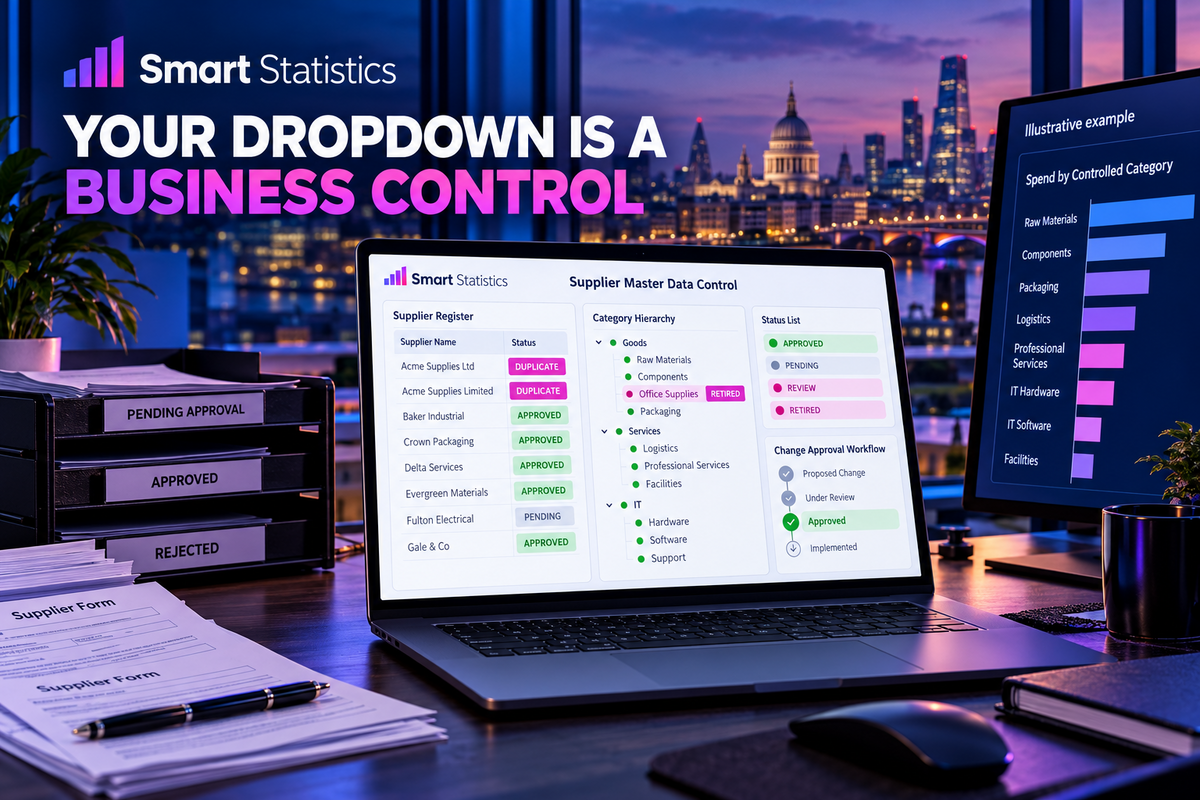
Your dropdown list is a business control
Supplier names, categories and status codes look small. When they are unmanaged, they fragment spend, break comparisons and quietly rewrite the meaning of your reports.
Treat reference data as a governed product: one identity, one owner, a controlled lifecycle and evidence for every material change.
9 October 2026 · Strategic insight for UK business leaders
A high pass rate can still hide report risk
Decision: hold exceptions out of published category reporting until they are mapped, approved and traceable.
The report is only as stable as the labels beneath it
A finance report shows spend by supplier. One month contains “Acme Supplies Ltd”, the next “Acme Supplies Limited”, and a third file contains “ACME”. The totals are arithmetically correct. The grouping is not.
The same problem appears in customer names, product classes, sites, departments, payment methods, project codes and workflow statuses. These values are reference data: relatively stable labels and codes used to classify transactions. They determine which rows appear together, which rules run and which manager sees the result.
A dropdown improves consistency at the point of entry, but it does not decide who may add a value, whether an old value remains valid, how aliases are handled or what happens to history after a rename.
The control objective: every transaction should point to an approved identity whose definition, owner, lifecycle and reporting treatment are known.
Three ways an innocent list damages a decision
One entity becomes several
Spelling variations and local aliases split spend, volume or performance across labels. No single line looks material, although the combined entity may be.
A rename rewrites history
Changing a label in place can make historical reporting appear to use a classification that did not exist when the transaction was created.
An obsolete code stays alive
Deleting a value can break entry or relationships. Leaving it selectable lets new work continue under a retired rule. Both outcomes need a controlled lifecycle.
Design the control before choosing the technology
The platform should enforce an agreed operating decision, not invent it.
Give each value a durable identity
Store a stable key such as SUP-0042 separately from the display name. Users can see “Acme Supplies Ltd”; transactions and mappings retain the key. A corrected spelling then changes presentation without creating a new supplier.
Define duplicate tests for the domain. Supplier review might compare normalised name, company number and bank details. Department review may use cost-centre code and accountable owner. Never merge records from a name match alone.
Write enough metadata to make the value usable
A controlled list needs more than Code and Name. Record a plain-English definition, domain, owner, status, effective dates, replacement value where relevant, source, approval reference and last review date.
For hierarchical values, make the relationship explicit. A subcategory should identify its parent category rather than depending on someone recognising the text.
Separate requesting from approving
Give users a route to request a missing value with the reason, intended use and supporting evidence. The data owner checks for duplicates and policy fit. A steward implements the approved change and records the decision.
Urgent operational work still needs a visible exception path. A temporary “Other” value without an owner and resolution date becomes a permanent blind spot.
Close values to new use while preserving history
Prefer an Active flag and effective dates to deletion. Filter inactive values from new-entry controls, but retain them for historical records and audit. If an old value has a successor, store the relationship and decide whether reports should show the historical or current grouping.
Those are different questions. “What was recorded then?” supports audit. “How should we manage the business now?” may use a current hierarchy. Label the reporting view.
Prove that systems use the approved list
Compare source values with the canonical register before every reporting refresh. Quarantine blanks, unknown keys, inactive selections and duplicate mappings. Publish exception counts beside the reporting result.
Monitor every consumer: spreadsheets, forms, flows, integrations and semantic models. A perfect central list has no value if a local workbook still accepts free text.
Turn the principle into a Microsoft 365 pattern
Choose the simplest control that meets the risk and scale.
| Layer | Purpose | Practical control | Evidence |
|---|---|---|---|
| Microsoft Lists or governed table | Canonical values and metadata | Unique business key, controlled permissions, Active flag, effective dates and version history | Current register and recorded changes |
| Power Apps or business form | Controlled selection and change requests | Lookup to the maintained register; show active values; route missing-value requests | Submitted request and approval outcome |
| Power Automate | Notification, approval and synchronisation | Validate the request, prevent duplicate implementation, record failure and notify the steward | Run history plus source record status |
| Excel and incoming files | Data exchange and local analysis | Refresh the approved list; validate inputs; reconcile pasted or imported values separately | Exception report and source control total |
| Power BI or Fabric | Consistent reporting identity | Model the controlled entity as a dimension; retain keys; expose unmapped and inactive exceptions | Refresh checks and data-quality measures |
For a short, fixed list such as a small status set, a Choice column may be sufficient. For suppliers, clients or categories that need ownership, metadata, lifecycle or reuse, a separate lookup list is usually easier to govern. Microsoft documents both patterns for SharePoint-backed Power Apps.
For reporting, Microsoft’s Power BI guidance describes dimension tables as the place for descriptive attributes that filter and group related fact rows. That makes the quality of the controlled dimension a reporting concern, not merely a form-design detail.
Who makes each decision?
| Role | Accountability | Decision evidence |
|---|---|---|
| Business owner | Defines the meaning, scope and policy for the domain | Approved definition, decision rules and material changes |
| Data steward | Checks requests, maintains values and resolves exceptions | Request record, duplicate check, implementation note and review date |
| System owner | Applies permissions, validation, lifecycle filters and recovery controls | Configuration record, access review and tested restoration route |
| Report owner | Maps keys, exposes exceptions and protects historical interpretation | Reconciliation, mapping logic and published quality status |
| Data user | Selects approved values and raises missing or incorrect entries | Completed source record or traceable change request |
Small-business version: one person may hold several roles, but the decisions must still be named. The person requesting a new supplier should not silently approve and implement it without a proportionate review.
Protect the control from common shortcuts
Good reference data is maintained through routine decisions, not a one-off cleanse.
Controls before release
- Agree the key, label, definition, owner and duplicate test.
- Test new, renamed, merged, retired and restored values.
- Confirm inactive values disappear from new entry but remain available to history.
- Restrict direct editing and test the approved change route.
Controls during operation
- Review unknown, blank, inactive and duplicate values at an agreed frequency.
- Reconcile consumer systems after every material change.
- Retain version or approval evidence and test restoration.
- Review long-open requests and recurring “Other” selections with the business owner.
Measure whether the control changes outcomes
Start with counts, not a vague promise of cleaner data. Track the percentage of rows with a valid current key, unknown-value count, duplicate candidates, retired values reused, median request age and the number of reports containing local remapping logic.
Connect those indicators to work and decisions: time spent repairing categories, reports delayed by mapping, supplier exposure split across aliases, or transactions excluded from management views. A higher pass rate is useful only when the exception population and its business consequences are visible.
Illustrative impact logic: if 71 exceptions require five minutes each, resolving them after entry consumes nearly six staff hours. Measure the actual handling time and recurrence before claiming a saving; this is an invented example, not a forecast.
Is your reference data genuinely controlled?
Confirm each item only when evidence exists. This is a discussion aid, not certification.
Frequently asked questions
Is reference data the same as master data?
They overlap, but they are not identical. Reference data usually supplies permitted codes and classifications, while master data describes core business entities such as customers, suppliers or products. Both need ownership and controlled change.
Should we delete a supplier or category that is no longer used?
Usually not when historical transactions still reference it. Mark it inactive, remove it from new-entry choices and retain the identity for reporting and audit. Apply your approved retention and system rules.
Is a SharePoint Choice column enough?
It can suit a short, fixed list with limited metadata. Use a separate governed list when values need owners, definitions, effective dates, approval, reuse, hierarchy or independent permissions.
Should reports show the historical or current category?
That depends on the decision. Audit views may preserve the category recorded at the time; current management views may use an approved present-day hierarchy. Define and label both treatments rather than silently overwriting history.
Make your smallest lists support better decisions
Smart Statistics can help identify the reference data behind your forms and reports, define proportionate ownership and build an exception view that keeps changes visible.